
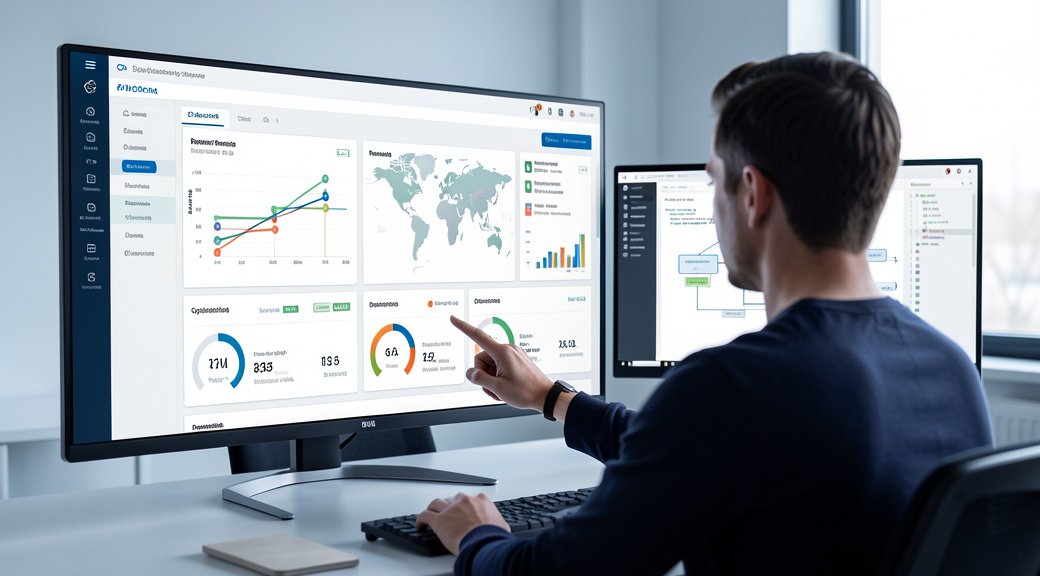
For US small and lower mid-market businesses, data is no longer a luxury,it’s the oxygen of modern operations. Yet, a persistent operational problem plagues growth-focused companies: decision-makers are drowning in spreadsheets and fragmented reports while simultaneously starving for actionable insight. Teams waste hours each week manually compiling data from disconnected systems,your CRM, your e-commerce platform, your marketing tools,only to produce static snapshots that are outdated upon delivery. This isn’t merely an inconvenience; it’s a direct tax on agility, strategic clarity, and revenue growth. The solution isn’t more data, but better systems to interpret it. Custom dashboard development addresses this core challenge by transforming raw information into a coherent, real-time command center for your business.
This article provides a structured framework for business owners and operators to evaluate their current analytics infrastructure, understand the tangible operational and financial impact of dashboard fragmentation, and implement a systematic approach to building custom dashboards that serve as true business intelligence systems. You will learn how to move beyond generic reporting tools to create tailored visualizations that align precisely with your key performance indicators (KPIs), operational workflows, and strategic goals, ultimately building a scalable foundation for data-driven decision-making.
The Root Cause: Why Off-the-Shelf Analytics Tools Fail Growing Businesses
The frustration with data doesn’t stem from a lack of tools. The market is flooded with business intelligence (BI) platforms promising instant insights. The root cause is a fundamental misalignment between generic software and the specific, evolving needs of a unique business. Off-the-shelf dashboards are built for the average use case, forcing your company to adapt its questions to the tool’s available answers.
The Integration Gap
Most businesses operate a stack of specialized software: a platform for e-commerce, a service for email marketing, another for customer support, and often a legacy database. Generic dashboards struggle to create a unified view from these disparate sources. They may connect to common platforms but fail to incorporate proprietary data, custom calculations, or the specific metrics that define success in your niche. This gap forces manual data reconciliation, the primary source of delay and error.
The Context Deficit
Effective decision-making requires context. A generic dashboard might show a 15% drop in website traffic. A custom dashboard built as part of a conversion-focused website infrastructure would correlate that drop with recent site changes, specific campaign pauses, and conversion rate movements, all on a single screen. The lack of business-specific context renders generic data points interesting but not actionable.
The Operational and Financial Impact of Dashboard Fragmentation
The costs of inefficient data systems are rarely captured in a single line item but are diffused across the organization, eroding profitability and speed.
Operational Drag and Lost Productivity
When data synthesis is a manual process, it creates significant operational drag. Analysts or managers become data janitors, spending 20-30% of their time on collection and formatting rather than analysis and strategy. This drag multiplies with each additional data source. The latency inherent in manual reporting means decisions are often made on last week’s or last month’s information, missing real-time opportunities or threats.
Strategic Myopia and Missed Opportunities
Without a unified view, strategic planning becomes an exercise in guesswork or intuition. Leadership cannot accurately assess the ROI of a new marketing channel, the true customer lifetime value from a specific acquisition campaign, or the operational bottleneck in order fulfillment. This leads to misallocated budgets, missed market shifts, and an inability to scale efficiently. For instance, understanding how integrating AI and SEO impacts lead quality requires tying backend analytics to frontend performance,a connection generic tools often miss.
Inconsistent Execution and Cultural Erosion
When teams lack a single source of truth, departments operate with different data stories. Sales might see strong lead flow, while marketing sees a drop in qualified traffic. This inconsistency breeds confusion, inter-departmental friction, and inconsistent execution against company goals. A custom dashboard aligns the entire organization around a unified set of verified metrics, fostering a culture of accountability and clarity.
Common Mistakes Businesses Make When Approaching Dashboards
Recognizing the need for better analytics is the first step; avoiding common pitfalls is the second.
- Starting with the Tool, Not the Question: Companies often begin by shopping for a BI platform. The correct starting point is a strategic workshop to define the critical business questions that need answering.
- Boiling the Ocean: Attempting to dashboard every possible metric leads to clutter and paralysis. Effective custom dashboard development is iterative, starting with 3-5 mission-critical KPIs for a specific team or function.
- Neglecting Data Hygiene and Architecture: A beautiful dashboard built on messy, ungoverned data is a liability. The foundation is a reliable data pipeline and clean, structured sources. This is where considerations for database scalability become crucial from the outset.
- Underestimating the Need for Evolution: A dashboard is not a one-time project. As the business pivots, adds new channels, or changes goals, the dashboard system must evolve. This requires a development partnership, not just a vendor.
A Structured Framework for Custom Dashboard Implementation
Building an effective dashboard system is a disciplined process, akin to strategic web development. It focuses on creating business infrastructure, not just reports.
Phase 1: Strategic Definition & KPI Alignment
Before a single line of code is written, align leadership on the primary objectives. What are the 1-3 key decisions this dashboard needs to inform? Is it optimizing customer acquisition cost, monitoring production throughput, or tracking real-time service performance? Define the specific KPIs, their data sources, and the required refresh rate (real-time, daily, weekly).
Phase 2: Data Pipeline & Architecture Audit
Map all required data sources. Assess their accessibility (APIs, database connections), reliability, and format. This phase often reveals necessary work to clean or structure data, or to build connectors for proprietary systems. This is the unglamorous but essential foundation. Robust architecture ensures the dashboard is a scalable revenue engine, not a fragile prototype.
Phase 3: User-Centric Design & Prototyping
Design the visualization based on user roles. The CEO needs a high-level strategic view; the operations manager needs granular, actionable alerts. Create low-fidelity mockups (wireframes) to validate the flow of information and hierarchy of data. The principle is clarity over cleverness; every chart should have an obvious interpretive action.
Phase 4: Agile Development & Integration
Develop the dashboard using an agile methodology, releasing a core version quickly and iterating based on user feedback. Integrate with live data sources, implementing automated refreshes. Security and access controls are paramount,ensuring users see only the data relevant to their role.
Phase 5: Training, Adoption, and Iteration Roadmap
A dashboard is useless if the team doesn’t use it. Conduct training focused on how to interpret the data and what actions to take. Establish a feedback loop and a roadmap for future iterations, adding new data sources or views as business needs evolve.
The Strategic Role of Systems: Automation, Infrastructure, and Scalability
A custom dashboard is not merely a reporting tool; it is the visual interface of your company’s operational nervous system. Its strategic value multiplies when integrated with broader business systems.
Closing the Loop with Automation
The highest-order use of a dashboard is to trigger automated actions. When a KPI hits a certain threshold, the system itself can respond. For example, a dashboard monitoring website lead volume could integrate with an AI virtual agent to adjust chat bot availability or alert a sales manager. This moves from passive observation to active management.
Infrastructure for Organic Growth
For businesses focused on inbound lead generation, a custom dashboard is the command center for the Organic Stack. It can unify data from SEO performance, content engagement, and conversion rates, showing how organic investment translates to pipeline and revenue. This turns marketing from a cost center into a tracked, optimized growth engine, much like how SEO-optimized website development builds a foundational asset.
Enabling Scalable Decision-Making
As a business grows, decision-making must decentralize. A well-architected dashboard system provides trusted data to department heads and team leads, empowering them to make fast, local decisions aligned with overall strategy. This prevents leadership bottlenecks and builds a data-literate culture. It requires a foundation of responsive architecture that adapts to new users and new questions.
Implementation Considerations for US Small and Mid-Market Businesses
The approach must be pragmatic, balancing capability with cost and complexity.
- Start with a Critical Pain Point: Don’t try to build the enterprise dashboard on day one. Identify the most painful, time-consuming report or the decision most hampered by data latency. Solve that first, demonstrate value, and secure buy-in for expansion.
- Prioritize Integration over Features: The dashboard’s value is directly proportional to its connectivity. Choose a development path that prioritizes robust, maintainable connections to your core systems (e.g., your WordPress-based CRM, your shipping API) over a vast library of pre-built charts.
- Plan for Ownership, Not Rentership: While SaaS BI tools have a place, consider the long-term cost and lock-in. A custom-developed dashboard, built on open-source technologies or within your own cloud environment, becomes a company asset you fully control and can modify without vendor constraints.
- Partner for Evolution: Given that needs will change, view dashboard development as an ongoing partnership. Work with a team that understands business growth frameworks and can architect a system that scales in complexity alongside your operations.
Frequently Asked Questions
How much does custom dashboard development typically cost?
Costs vary significantly based on data source complexity, number of integrations, and visualization sophistication. A simple dashboard connecting 2-3 common SaaS platforms might start in the low five figures. More complex systems integrating proprietary databases and requiring custom data engineering can be a more substantial investment. The key is to frame cost against the ROI of saved labor, faster decisions, and revealed opportunities.
We use Google Data Studio/Tableau/Power BI. Why isn’t that enough?
These are excellent visualization tools for connected, clean data. The “custom” in custom dashboard development often refers to the data pipeline and business logic layer beneath the visualization. If your data is already unified in a cloud warehouse and your KPIs are standard, these tools may suffice. If you need to combine unusual sources, apply proprietary calculations, or embed the dashboard deeply into a custom operational application, a tailored solution becomes necessary.
How long does it take to implement a custom dashboard?
A focused, minimum viable product (MVP) dashboard addressing a specific use case can often be delivered in 4-8 weeks. Enterprise-wide systems with multiple data sources and user roles require a phased approach over several months. The timeline is dictated by data accessibility and clarity of strategic requirements.
What’s the first step we should take internally?
Assemble a cross-functional team (e.g., operations, finance, marketing) and host a workshop to answer one question: “If we could have one perfect screen of information to run the business each morning, what would absolutely need to be on it?” Document the answers, the source of that data, and who needs to see it. This becomes your foundational requirements document.
How do we ensure our team actually uses the new dashboard?
Adoption is driven by utility and ease. Involve end-users in the design process. Ensure the dashboard loads quickly and is mobile-responsive. Most importantly, tie a key operational meeting or decision process directly to the data on the dashboard. When it becomes the source of truth for strategic conversations, usage follows naturally.
Can a custom dashboard integrate with our existing AI or automation projects?
Absolutely. In fact, this is where the greatest synergy lies. A custom dashboard can visualize the performance and outputs of AI automation systems, and conversely, can be designed to send triggers or alerts to those systems. This creates a closed-loop intelligence system where data informs action and action generates new data for analysis.
Conclusion: Building Intelligence Infrastructure, Not Just Reports
The competitive landscape for US small and mid-market businesses demands a shift from reactive data gathering to proactive intelligence systems. Custom dashboard development, when approached as a strategic infrastructure project, provides the clarity needed to navigate market complexity, optimize operations, and allocate capital with confidence. It transforms data from a static historical record into a dynamic tool for steering the business.
The goal is not to chase every metric, but to build a scalable system that surfaces the right information to the right people at the right time. This requires moving beyond off-the-shelf solutions and investing in tailored systems that reflect your unique business logic and growth trajectory. It is an exercise in building institutional intelligence,a capability that compounds in value as your business scales. For leadership teams ready to replace fragmented reports with a unified command center, the path forward is defined not by more data, but by better systems to give that data purpose and power.
