
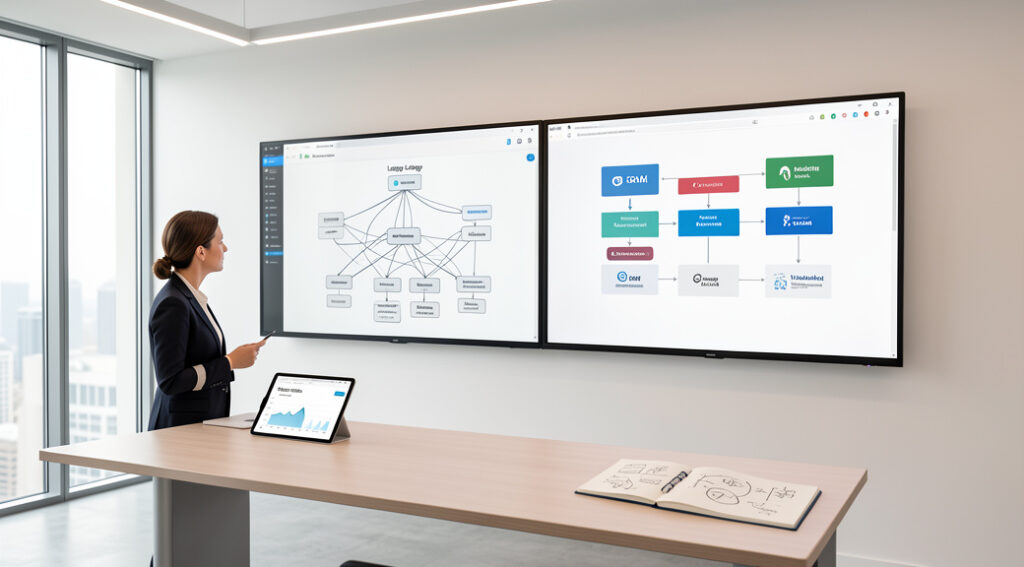
For over a decade, WordPress has been the default choice for millions of business websites. Its promise was simple: an affordable, user-friendly platform to establish an online presence. Yet today, US small and lower mid-market business operators face a critical infrastructure decision. The question isn’t just about features or cost, but about whether your primary digital asset,your website,is built on a foundation capable of supporting scalable growth, integrating with modern automation, and converting traffic predictably. Relying on outdated or mismatched technology creates a silent tax on your operations, limiting marketing ROI and creating technical debt that stifles agility.
This analysis moves beyond the superficial “WordPress vs. everything else” debate. You will gain a structured framework to evaluate your website not as a marketing brochure, but as a core piece of business infrastructure. We’ll examine the real operational impacts of platform choices, common costly mistakes, and how to align your digital foundation with systems for organic growth, process automation, and scalable conversion.
The WordPress Legacy and Its Contribution to Business
WordPress democratized web publishing. Launched in 2003, it allowed businesses without deep technical resources to manage content, update their site, and launch blogs. Its open-source nature and vast plugin ecosystem solved immediate problems,adding contact forms, basic SEO tags, image galleries,often for little to no direct cost. For a generation of founders, it was the obvious, low-friction starting point.
Its legacy is significant: it proved that businesses need direct control over their content. However, this legacy was built in an era where a website was often a digital billboard, not the central nervous system of customer acquisition and operations it is today.
The Modern Competitive Landscape: Beyond Blogs and Brochures
The market has matured. Business needs have evolved from simple content management to demanding integrated systems. Competition for WordPress isn’t just other CMS platforms; it’s entire paradigms of how a website is built and functions.
The Rise of Headless and Jamstack Architectures
Modern architectures separate the front-end presentation layer (what the user sees) from the back-end content management system. This approach, known as headless or Jamstack, offers significant performance, security, and developer flexibility advantages. Platforms like Contentful, Sanity, and even WordPress in headless mode cater to businesses needing blazing-fast, secure sites that can integrate with any tool via API.
All-in-One SaaS Platforms
Platforms like Webflow, Shopify (for e-commerce), and Squarespace offer tightly integrated, hosted solutions. They reduce the maintenance burden and often provide better-designed native tools for SEO, analytics, and design, trading some flexibility for streamlined operations.
The Custom Application Mindset
Progressive businesses increasingly view their website as a custom application tailored to their unique workflow and customer journey. This mindset prioritizes specific business logic, data handling, and user experience over generic, one-size-fits-all CMS features.
Where WordPress Stands Now: The Core Operational Problem
WordPress itself is not “dead”,it powers a huge portion of the web. The critical question is: Is it the optimal infrastructure for your business’s growth and operational efficiency? The problems often aren’t with WordPress core, but with the operational model it encourages.
The Plugin Dependency Spiral
To add functionality,a booking system, advanced SEO control, membership tiers,you install plugins. Each plugin is a separate piece of software from a different developer, requiring updates, causing potential conflicts, and creating security vulnerabilities. The business becomes a system integrator, managing a fragile stack of disparate tools.
Performance and Scalability Debt
A typical WordPress site with numerous plugins and a generic theme becomes slow. Page speed directly impacts SEO rankings (a core Google ranking factor) and conversion rates. Scaling to handle traffic spikes often requires significant server-side investment and optimization work, which is an ongoing operational cost.
Security as a Constant Burden
As the world’s most popular CMS, WordPress is a prime target for hackers. Security becomes a reactive game of updating core, plugins, and themes the moment patches are released. A breach can mean downtime, lost data, and destroyed customer trust.
Integration Challenges
While plugins exist for many integrations, they are often generic. Deep, bidirectional integration with a proprietary CRM, ERP, or custom database typically requires extensive custom development, turning the “simple” CMS into a complex development project.
A Structured Framework for Decision-Making
The choice isn’t about declaring a platform dead or alive. It’s about auditing your current and future business needs against platform capabilities. Use this framework.
1. Audit Your Website’s Business Role
Is your site a) a simple informational presence, b) a primary lead generation engine, c) a complex application portal for customers, or d) a direct e-commerce revenue channel? The more you rely on it for mission-critical functions (b, c, d), the more you must prioritize robust, scalable infrastructure over mere convenience.
2. Calculate the True Total Cost of Ownership (TCO)
Factor in not just hosting and premium plugins, but the monthly hours spent by your team or contractor on updates, conflict troubleshooting, security monitoring, and performance optimization. Compare this against the subscription cost of a more integrated SaaS platform or the value of a custom-built solution that eliminates those ongoing tasks.
3. Evaluate Your Growth Trajectory
Are you planning to implement sophisticated marketing automation, build a customer portal, or sell complex product configurations? Your website platform must be an enabler, not a constraint. Needing to replatform in 18 months because you outgrew your CMS is a costly strategic misstep.
The Strategic Role of Systems: Where Your Website Lives Matters
Your website should be a component of your business’s technology system, not a standalone entity. Its infrastructure must support core pillars of modern growth.
Conversion-Focused Website Infrastructure
Every page, element, and user path should be engineered for conversion. This requires clean code, fast load times, reliable hosting, and the ability to easily implement and test landing pages, CTAs, and UX flows. Clunky, plugin-heavy sites often fail here, introducing friction that leaks potential revenue.
Business Process Automation & AI
Can your website seamlessly pass lead data to your CRM, trigger onboarding emails, or update customer records? Can it leverage AI for personalized content or dynamic search? This requires deep, API-first integration capabilities. While possible with WordPress, it often feels like forcing a square peg into a round hole compared to platforms built as part of an integrated stack.
Organic Growth & SEO Systems
SEO is not a plugin. It’s a system of technical infrastructure, content strategy, and consistent execution. A slow, insecure site with bloated code undermines technical SEO. For businesses where organic traffic is a primary channel, the website must be part of a holistic Organic Stack,a systematic approach encompassing technical foundation, content operations, and analytics. This isn’t about a magic tool; it’s about building reliable infrastructure for sustainable visibility, where the CMS is a compliant and efficient component, not a hindrance.
Custom Software & Database Scalability
When your business relies on unique data logic, customer portals, or complex interactive tools, a generic CMS reaches its limits. A custom-built front-end connected to a scalable database via APIs often becomes the most efficient and powerful long-term solution, giving you complete control over performance, user experience, and data flow.
Implementation Considerations: The Path Forward
If your audit reveals misalignment, consider these paths:
- For Simple Brochure Sites: WordPress or a SaaS builder like Webflow may remain sufficient. Rigorously limit plugins, invest in quality hosting, and enforce a strict update protocol.
- For Growth-Critical Marketing & Lead Generation Sites: Evaluate headless CMS options or high-performance SaaS platforms. Prioritize native SEO tools, speed, and clean integration with your marketing automation stack.
- For Complex Business Applications & Portals: Explore custom front-end development with a modern framework (React, Vue.js) paired with a dedicated API-based CMS or custom database backend. This represents a higher initial investment but offers superior long-term control, scalability, and TCO.
Frequently Asked Questions
Is WordPress still good for SEO?
With proper configuration, caching, and a lightweight theme, WordPress can achieve good technical SEO. However, the burden of optimization and maintenance falls entirely on you/your developer. Other platforms often bake core web vitals optimization and cleaner code structures into their architecture, reducing the ongoing effort required.
We have a large WordPress site. Is a migration feasible?
Yes, but it must be treated as a strategic project, not just a technical lift. A successful migration involves content auditing, URL mapping, SEO preservation, data transfer, and rigorous testing. The business case should be based on reducing operational overhead, unlocking new capabilities, or improving key metrics like conversion rate or page speed.
What’s the biggest hidden cost of sticking with a mismatched WordPress setup?
Opportunity cost. The hours spent managing technical debt are hours not spent on strategic growth activities. The slower page speeds lead to lower search rankings and lost leads. The inability to implement a sophisticated customer journey directly impacts revenue. These are real, measurable business impacts.
When does it make sense to build a custom solution instead of using any CMS?
When your core business model involves a unique, interactive digital service for your customers (e.g., a configurator, a client reporting dashboard, a proprietary community platform), or when your website needs to perform complex, real-time data processing that is central to your value proposition.
How should we evaluate new platforms?
Create a requirements matrix based on: 1) Core business needs (e-commerce, membership, etc.), 2) Required integrations (CRM, email, payment), 3) Team skill set (who will maintain it?), 4) Budget (initial + 3-year TCO), and 5) Scalability needs. Test front-end performance (speed) and back-end usability rigorously.
Conclusion
The question isn’t “Is WordPress dead?” but “Is our current website infrastructure alive to the demands of our business goals?” For US small and mid-market operators, the decision must shift from choosing a popular tool to architecting a business asset. Sustainable growth is built on systems, not tactics,a website that is a reliable component of your organic growth engine, a seamless touchpoint in your automated processes, and a scalable foundation for your customer experience.
This requires a mindset that views technology as strategic infrastructure. At Shelby Group LLC, we partner with founders and operators to implement these structured solutions, whether that means optimizing an existing platform for peak performance, orchestrating a strategic migration, or building custom, scalable applications that turn your website into a true competitive advantage. The goal is always the same: to ensure your primary digital asset is an engine for growth, not a constraint hiding in plain sight.